

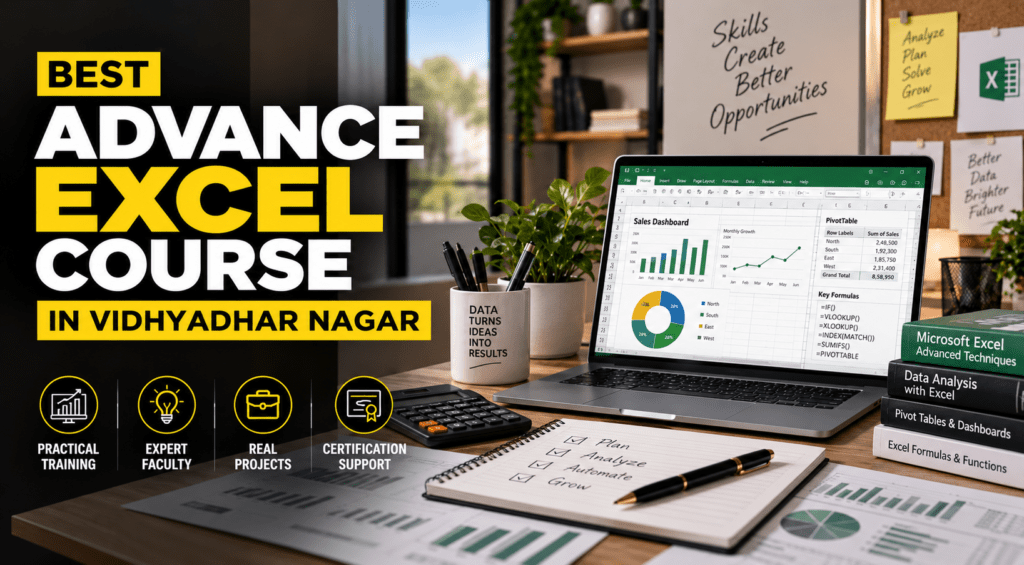
BEST ADVANCE EXCEL COURSE IN VIDHYADHAR NAGAR
Excel is one of the most useful tools for managing data, preparing reports, analyzing information, and handling everyday office tasks. From students and freshers to working professionals, strong Excel skills can make routine work faster and more organized.
If you are looking for the BEST ADVANCE EXCEL COURSE IN VIDHYADHAR NAGAR, choosing a course that focuses on practical learning is important. A good Advanced Excel course should go beyond basic formulas and help you understand how Excel is actually used in offices, businesses, accounting, MIS reporting, data management, and other professional roles.
This guide explains what you can learn in an Advanced Excel course, who should join, which skills matter for jobs, and how practical Excel training can support your career.
What Is an Advanced Excel Course?
An Advanced Excel course is designed for learners who want to move beyond basic spreadsheets and develop professional-level Excel skills. It typically covers advanced formulas, data analysis, reporting, dashboards, data management, and productivity features.
Unlike a basic Excel course that focuses mainly on entering data and simple calculations, advanced training helps you work with larger datasets and create meaningful reports from them.
Common topics include:
- Advanced Excel formulas and functions
- Data sorting, filtering, and validation
- Pivot Tables and Pivot Charts
- Conditional Formatting
- Lookup and reference functions
- Charts and professional reports
- Data cleaning and organization
- Dashboard creation
- What-if analysis
- Basic automation and productivity techniques
The exact syllabus can vary between institutes, so students should check whether the course includes practical projects and real-world assignments.
for strategic planning.
Why Choose the BEST ADVANCE EXCEL COURSE IN VIDHYADHAR NAGAR?
Vidhyadhar Nagar is a well-connected area of Jaipur with students, professionals, businesses, and training institutes. For learners living nearby, taking an Advanced Excel course in Vidhyadhar Nagar can make regular classroom training more convenient.
However, location should not be the only factor when selecting a course. The quality and practical value of the training matter equally.
Look for a course that provides:
- Practical classroom training
- Experienced trainers
- Exercises based on workplace requirements
- Regular assignments
- Realistic datasets for practice
- Report and dashboard creation
- Doubt-solving support
- Course completion certification
- Career guidance where available
The goal should be to understand how to use Excel confidently rather than simply completing a syllabus.
What Will You Learn in an Advanced Excel Course?
A well-structured Advanced Excel training program can help learners develop several skills that are useful across different office roles.
Advanced Excel Formulas and Functions
Formulas are at the heart of Excel. Advanced training introduces functions that help users analyze and manage data more efficiently.
Depending on the syllabus, learners may work with functions such as:
- IF and nested IF
- SUMIF and SUMIFS
- COUNTIF and COUNTIFS
- XLOOKUP
- VLOOKUP and HLOOKUP
- INDEX and MATCH
- TEXT functions
- Date and time functions
- Logical functions
Learning when and how to use these functions is more important than simply memorizing them.
functional.
Pivot Tables and Data Analysis
When working with large amounts of information, manually preparing summaries can take considerable time. Pivot Tables allow users to organize and summarize data efficiently.
Students can learn how to:
- Create Pivot Tables
- Group and filter information
- Summarize sales or business data
- Compare categories
- Generate Pivot Charts
- Build interactive reports
These skills are particularly useful for MIS, reporting, administration, sales, and data-related work.
Excel Dashboards and Reports
Businesses often need information presented in a simple and understandable format. Excel dashboards can turn raw data into visual reports using charts, tables, filters, and key metrics.
During practical training, students can work on dashboards such as:
- Sales performance dashboards
- Monthly expense reports
- Employee attendance reports
- Target vs achievement reports
- Inventory summaries
- Business performance reports
Creating these projects helps learners understand how Excel can be used for actual workplace reporting.
Who Should Join an Advanced Excel Course?
Advanced Excel is not limited to commerce or management students. Anyone who regularly works with data, reports, calculations, or spreadsheets can benefit from stronger Excel skills.
The course can be useful for:
- College students
- Graduates and freshers
- Job seekers
- Office employees
- MIS executives
- Accounts professionals
- HR professionals
- Sales and marketing teams
- Business owners
- Data entry professionals
- Professionals looking to upgrade their skills
Even if you already know basic Excel, advanced training can help you become more efficient and confident with complex tasks.
Advanced Excel Skills for Jobs
Excel continues to be used in many different types of workplaces. The level of Excel required depends on the job role and organization.
For example, an MIS executive may use Excel to prepare daily or monthly reports, while an accounts professional may use it for calculations and financial data management. A sales professional may use spreadsheets to track targets, leads, and performance.
Some roles where Excel skills can be useful include:
- MIS Executive
- Data Entry Executive
- Accounts Executive
- Back Office Executive
- Business Operations Executive
- Sales Coordinator
- Reporting Executive
- Administrative Executive
- Junior Data Analyst
Excel alone does not guarantee a job. Employers may also look for communication skills, role-specific knowledge, analytical ability, and practical experience. That is why project-based learning can be valuable for beginners.
Practical Learning Makes Excel Training More Valuable
One of the biggest differences between simply watching Excel tutorials and attending structured training is guided practice.
For example, instead of only learning how a Pivot Table works, students can be given a sales dataset and asked to create a monthly performance report. Similarly, after learning lookup functions, they can use them to combine information from different tables.
Practical assignments can include:
- Cleaning an unorganized dataset.
- Applying formulas to calculate results.
- Creating a Pivot Table.
- Designing charts from the data.
- Building a professional dashboard.
- Preparing a final report.
This approach helps learners understand the complete process—from raw data to a useful report.
How to Choose the Best Advanced Excel Course in Vidhyadhar Nagar
Before enrolling, compare the course based on what you will actually learn and practice.
Consider these factors:
heck the Course Syllabus
Make sure the syllabus includes advanced formulas, Pivot Tables, data analysis, charts, dashboards, and other topics relevant to your career goals.
market.
Ask About Practical Training
Ask whether you will work on real-world datasets, assignments, and projects. Practical experience is particularly important if you are learning Excel for employment.
Understand the Training Format
Check whether the curriculum covers interior design fundamentals, space planning, materials, lighting, drafting, 2D and 3D design, and relevant software.
A strong syllabus should provide a logical progression from basic concepts to practical projects.
practical projects.
Check Certification and Career Support
A course certificate can document your training, while career guidance can help you understand possible job roles and the skills required for them. However, practical ability should remain the priority.
Advanced Excel Course in Vidhyadhar Nagar for Students and Freshers
For students and fresh graduates, learning Excel can be a practical addition to academic qualifications. Many entry-level office roles involve spreadsheets, reporting, data handling, or documentation.
Instead of waiting until you get your first job to learn workplace tools, students can start developing these skills during college.
A structured BEST ADVANCE EXCEL COURSE IN VIDHYADHAR NAGAR can help beginners build a foundation through guided exercises, assignments, and practical projects.
The most useful approach is to practice consistently. Even 30–60 minutes of regular Excel practice can help improve familiarity with formulas, shortcuts, reports, and data handling.
Career Benefits of Learning Advanced Excel
Advanced Excel can support your career in several practical ways:
- Faster data handling
- Better reporting skills
- Improved spreadsheet accuracy
- More efficient repetitive tasks
- Better understanding of business data
- Stronger workplace productivity
- Additional skills for office-based roles
For professionals already working with spreadsheets, improving Excel skills may also help them handle larger datasets and create reports more efficiently.
Frequently Asked Questions About the BEST ADVANCE EXCEL COURSE IN VIDHYADHAR NAGAR
What is taught in an Advanced Excel course?
n Advanced Excel course generally covers advanced formulas, lookup functions, Pivot Tables, charts, data analysis, conditional formatting, dashboards, data management, and reporting.
is included in the program.
Is Advanced Excel useful for getting a job?
Yes, Excel is used across many office and business roles. However, job opportunities depend on the complete skill set required for a particular position, including communication, domain knowledge, and practical experience.
Can beginners join an Advanced Excel course?
Yes. Beginners can learn Advanced Excel through structured training, although having a basic understanding of spreadsheets can make the learning process easier.
How long does it take to learn Advanced Excel?
The learning time depends on the syllabus, class schedule, and your practice routine. Basic concepts can be learned relatively quickly, while advanced reporting and dashboard skills require regular hands-on practice.
Which Excel skills are useful for office jobs?
Commonly useful skills include formulas, XLOOKUP/VLOOKUP, Pivot Tables, data cleaning, charts, conditional formatting, report preparation, and dashboard creation.
Which Excel skills are useful for office jobs?
Commonly useful skills include formulas, XLOOKUP/VLOOKUP, Pivot Tables, data cleaning, charts, conditional formatting, report preparation, and dashboard creation.
Where can I find the BEST ADVANCE EXCEL COURSE IN VIDHYADHAR NAGAR?
Students can compare local computer training institutes in Vidhyadhar Nagar based on syllabus, practical training, trainer experience, projects, timings, certification, and career support before enrolling.
Conclusion: Build Practical Excel Skills for Your Career
Excel is more than a spreadsheet program. When used effectively, it can help professionals organize information, analyze data, prepare reports, and complete everyday tasks more efficiently.
If you are searching for the BEST ADVANCE EXCEL COURSE IN VIDHYADHAR NAGAR, focus on practical training, relevant course content, hands-on projects, and career-oriented learning rather than choosing a course based only on its title or certificate.
Whether you are a student, fresher, job seeker, or working professional, developing strong Excel skills can be a useful step toward becoming more confident with workplace data and reporting.
Ready to build practical Excel skills? Explore an Advanced Excel training program in Vidhyadhar Nagar, compare the syllabus and learning approach, and choose a course that matches your career goals.
Hear From Our Students
We help students upskill & grow their career in the most comprehensive way possible.
My Graphic Designing Training from Thirdeye Computer Classes was very helpful . The Trainer Mukesh Sir has extremely good expertise inn the subject. Now that I am able to Make Designs, edit Videos & much More, I am satisfied and it has been an excellent learning experience for me . Now I am fairly confident in my capacity to obtain a good job. Thank you so much Thirdeye team. Definitely recommended.


Advanced Syllabus
Live Projects Based
Certified Faculties
International Certifications
Need Help?
Connect with us & know what’s the best