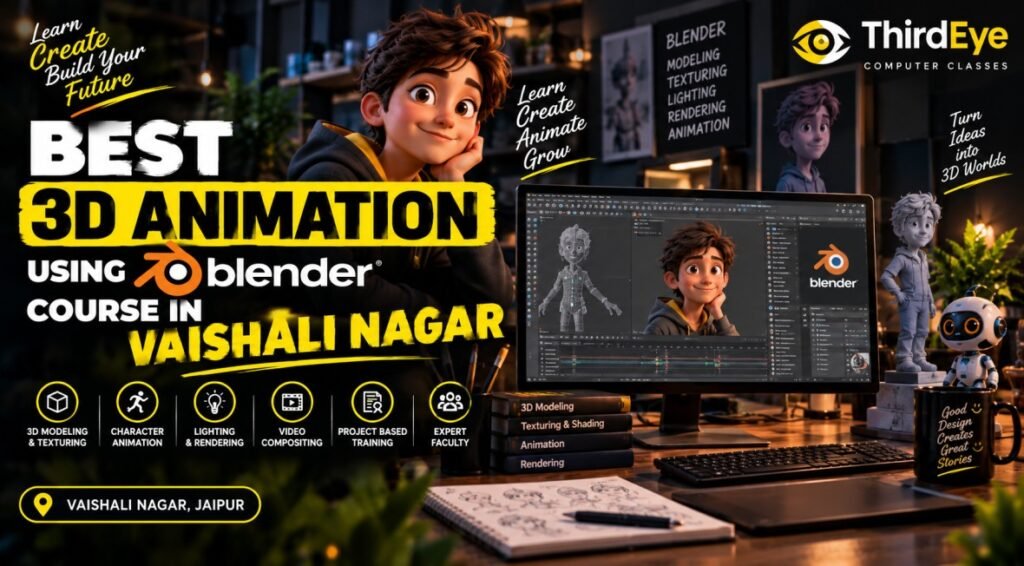
Best 3D Animation Using Blender Course in Vaishali Nagar – Learn 3D Animation Skills
3D animation has become an important part of entertainment, advertising, gaming, digital content, product visualisation, architectural presentation, and other creative industries. Blender is a widely used 3D software that allows users to create models, animations, materials, lighting setups, and rendered scenes within one digital environment.
If you are searching for the BEST 3D ANIMATION USING BLENDER COURSE IN VAISHALI NAGAR, a structured training programme can help you develop practical skills in 3D modelling and animation from the basics. Instead of learning individual tools randomly, a guided course can introduce the complete workflow step by step.
For students, graduates, designers, aspiring animators, and creative professionals in Vaishali Nagar, Jaipur, learning Blender at a nearby training institute can make regular practice more convenient. However, location should not be the only factor. The syllabus, practical assignments, trainer guidance, software training, course duration, fees, and learning format should also be evaluated before enrolling.
ThirdEye Computer Classes is a computer education and skill-development institute in Jaipur. If you are considering Blender training through ThirdEye, contact the institute to confirm current course availability, syllabus, duration, fees, class timings, and practical project details.
What Is a 3D Animation Using Blender Course?
A 3D Animation Using Blender course teaches learners how to use Blender for creating three-dimensional objects, scenes, animations, and visual presentations.
Blender provides tools for several stages of the 3D workflow. Depending on the course level, students may learn:
- Blender interface and navigation
- Basic 3D modelling
- Object creation and editing
- Materials and texturing
- Lighting and cameras
- Keyframe animation
- Basic rigging and character workflows
- Rendering
- Scene composition
- Practical 3D animation projects
For beginners, the learning process generally starts with understanding the interface and basic modelling before progressing towards animation and more complex scenes.
The exact syllabus can vary between training institutes, so students should review the complete curriculum before joining a programme.
Why Consider the Best 3D Animation Using Blender Course in Vaishali Nagar?
Vaishali Nagar is a well-known residential and commercial area of Jaipur, making convenient access to skill-development and creative training useful for local students and professionals.
When comparing options for the BEST 3D ANIMATION USING BLENDER COURSE IN VAISHALI NAGAR, learners should consider both location and training quality.
Blender is a practical software skill. Understanding menus and tools is only the beginning. Learners need regular hands-on practice to understand modelling, animation, lighting, camera movement, and rendering.
Convenient Learning for Students in Vaishali Nagar
A nearby Blender training centre can make it easier to attend classes consistently and practise between sessions.
Before enrolling, check:
- Institute location
- Class timings
- Weekday and weekend batches
- Online or offline learning options
- Batch size
- Practical sessions
- Trainer support
- Course duration
A convenient schedule can help learners maintain a regular practice routine.
Learn the Complete 3D Workflow
One advantage of learning Blender is that several parts of the 3D production process can be explored using the same software.
A structured course may take learners through a workflow such as:
Concept → Modelling → Materials → Lighting → Animation → Camera → Rendering
Understanding this workflow can help students see how individual tools contribute to a finished scene or animation.
Work on Practical Projects
Project-based learning allows students to apply tools instead of simply memorising commands.
Depending on the course level, projects may include:
- 3D objects
- Interior scenes
- Product models
- Simple animated scenes
- Motion-based objects
- Character exercises
- Short animation sequences
The exact projects should be confirmed with the training institute.
What Can You Learn in a Blender 3D Animation Course in Vaishali Nagar?
A comprehensive Blender course can cover several stages of the 3D production process. The exact topics depend on the programme level and duration.
1. Blender Interface and Fundamentals
Beginners first need to understand the Blender workspace and how to navigate a 3D environment.
Training may introduce:
- Blender interface
- Viewport navigation
- Object selection
- Transform tools
- Move, rotate and scale
- Basic object editing
- Scene organisation
These fundamentals create the foundation for more advanced modelling and animation work.
2. 3D Modelling
3D modelling is one of the core components of Blender training.
Learners can practise creating and editing objects using different modelling techniques. They may work with basic shapes before progressing towards more detailed forms.
Possible practice areas include:
- Product models
- Furniture
- Props
- Simple environments
- Architectural elements
- Basic character forms
The focus should be on understanding how geometry is created, modified, and organised.
3. Materials and Texturing
A model becomes more visually meaningful when suitable materials and surface properties are applied.
Students may learn how to work with:
- Materials
- Surface properties
- Textures
- Basic shading
- Colour and surface appearance
These skills can help learners create more visually detailed 3D scenes.
4. Lighting and Camera Setup
Lighting and camera placement can significantly affect the appearance of a 3D scene.
A Blender course may introduce different lighting approaches and camera controls so students can understand how to present their models effectively.
Learners can practise:
- Light placement
- Light intensity
- Shadows
- Camera positioning
- Camera movement
- Scene composition
These skills are useful for both still renders and animation projects.
5. Animation and Keyframes
Animation involves creating movement over time.
Students may learn fundamental concepts such as:
- Keyframes
- Timeline
- Object movement
- Rotation
- Scaling
- Basic camera animation
- Timing and sequencing
Simple exercises can help beginners understand how objects transition from one position or state to another.
6. Rendering and Final Output
Rendering converts a 3D scene into a final visual output.
Depending on the course, students may learn about:
- Render settings
- Resolution
- Lighting for rendering
- Camera framing
- Basic output settings
- Preparing scenes for final presentation
Rendering practice helps learners understand the final stage of a 3D workflow.
Who Should Consider a Blender 3D Animation Course in Vaishali Nagar?
A Blender course can be useful for people with different creative and professional goals.
It may be suitable for:
- School and college students interested in animation and 3D design
- Graduates looking to develop creative software skills
- Aspiring 3D artists building a professional portfolio
- Graphic designers who want to add 3D capabilities
- Interior and architectural design learners interested in visualisation
- Video creators exploring 3D content
- Freelancers interested in creative projects
- Working professionals looking to expand their digital skill set
Beginners do not necessarily need previous Blender experience for introductory training. However, the required background can vary depending on the course level.
Career Opportunities After Blender 3D Animation Training
Blender skills alone do not guarantee employment. Career opportunities depend on a learner’s portfolio, creativity, technical skills, communication, experience, and the requirements of individual employers or clients.
Depending on additional skills and specialisation, Blender knowledge may be relevant to areas such as:
- 3D modelling
- 3D animation
- Game assets
- Product visualisation
- Architectural visualisation
- Motion graphics
- Visual content creation
- Freelance 3D projects
- Digital media production
- Creative design support
Building a portfolio is particularly important for creative roles. Employers and clients often want to see examples of what a candidate can actually create.
Learners can strengthen their profile by combining Blender with complementary skills such as graphic design, video editing, animation principles, compositing, or other relevant creative software.
How to Choose the Best 3D Animation Using Blender Course in Vaishali Nagar
Choosing a Blender course should involve more than comparing fees. Look at the practical learning structure and whether it matches your goals.
Check the Complete Course Syllabus
Ask for the detailed syllabus before enrolling.
Check whether the programme includes relevant topics such as:
- Blender fundamentals
- 3D modelling
- Materials and texturing
- Lighting
- Camera setup
- Animation
- Rendering
- Practical projects
The syllabus should match whether your goal is modelling, animation, visualisation, or broader 3D training.
Look for Hands-On Training
Blender is best learned through practice. Ask whether students create models and animation projects during the course.
Practical assignments can help learners understand how different tools work together in a complete workflow.
Check Trainer Guidance and Feedback
3D modelling and animation can involve technical challenges. Trainer feedback can help students identify modelling issues, improve workflow, and understand animation concepts.
Ask whether learners receive individual guidance while working on practical projects.
Compare Duration, Fees and Learning Format
Before admission, clarify:
- Course duration
- Class timings
- Total fees
- Batch size
- Practical assignments
- Study material
- Online or offline options
- Assessment method
- Certificate details
A course should be evaluated on the overall learning experience rather than price alone.
Explore Blender Training at ThirdEye Computer Classes
ThirdEye Computer Classes provides computer education and skill-development training in Jaipur. If you are searching for Blender classes near Vaishali Nagar, you can contact the institute to ask about current course availability and programme details.
Before enrolling in the BEST 3D ANIMATION USING BLENDER COURSE IN VAISHALI NAGAR, confirm:
- Blender course level
- Complete syllabus
- Practical projects
- Trainer details
- Course duration
- Class timings
- Fees
- Online or offline learning options
- Study material
- Assessment and certification
Course availability and programme details can change, so it is best to verify the latest information directly with the institute.
Contact ThirdEye Computer Classes: 8058061222
Website: www.thirdeyeclasses.com
How to Improve Your Blender Skills Outside the Classroom
Regular practice is essential for developing confidence with 3D software.
You can improve your Blender skills by following a consistent practice routine:
- Start with simple models: Create basic objects before attempting complex scenes.
- Practise modelling regularly: Repeat common modelling techniques until they become familiar.
- Experiment with materials: Try different surface and texture combinations.
- Study lighting: Create the same scene with different lighting arrangements.
- Animate simple objects: Practise movement, rotation, scaling, and camera animation.
- Create small projects: Complete short projects rather than only following tutorials.
- Build a portfolio: Save your strongest models, renders, and animation clips.
- Review your work: Identify areas where modelling, composition, lighting, or animation can improve.
Consistent practice can be more useful than trying to learn a large number of advanced features at once.
Frequently Asked Questions About the Best 3D Animation Using Blender Course in Vaishali Nagar
What is the BEST 3D ANIMATION USING BLENDER COURSE IN VAISHALI NAGAR?
The right Blender course depends on your goals, syllabus, practical training, trainer support, project work, course duration, fees, and learning format. Compare these factors before enrolling.
Is Blender suitable for beginners?
Yes. Beginners can start with Blender fundamentals, viewport navigation, basic modelling, materials, lighting, and simple animation before progressing to more advanced projects.
What can I learn in a Blender 3D animation course?
A course may cover 3D modelling, materials, texturing, lighting, cameras, keyframe animation, rendering, scene creation, and practical projects. The exact syllabus depends on the training programme.
Is Blender useful for 3D animation careers?
Blender can be a useful skill for areas such as 3D modelling, animation, game assets, visualisation, motion graphics, and digital content. Career requirements vary by role and employer.
Do I need previous animation experience to learn Blender?
Not necessarily. Beginner-level courses can introduce Blender from the fundamentals. However, learners should check the course prerequisites before enrolling.
Does ThirdEye Computer Classes offer a Blender course in Vaishali Nagar?
Current availability should be confirmed directly with ThirdEye Computer Classes. You can call 8058061222 or visit www.thirdeyeclasses.com for the latest information.
Conclusion – Start Learning Blender in Vaishali Nagar
Blender can be a valuable software skill for learners interested in 3D modelling, animation, visualisation, digital content, gaming, and creative design. A structured programme can help beginners understand the complete process, from creating 3D models to applying materials, setting up lighting, animating objects, and producing final renders.
If you are searching for the BEST 3D ANIMATION USING BLENDER COURSE IN VAISHALI NAGAR, compare the syllabus, practical training, trainer guidance, project work, duration, fees, and learning format before enrolling.
The strongest way to develop Blender skills is through consistent practice and project-based learning. Creating a portfolio of original models, scenes, renders, and animation work can also help demonstrate your abilities to potential employers or clients.
If you want to explore Blender training near Vaishali Nagar, contact ThirdEye Computer Classes and confirm the latest course availability, syllabus, fees, and class schedule.
Start your 3D learning journey: Call 8058061222 or visit www.thirdeyeclasses.com to enquire about available Blender training.
Hear From Our Students
We help students upskill & grow their career in the most comprehensive way possible.
My Graphic Designing Training from Thirdeye Computer Classes was very helpful . The Trainer Mukesh Sir has extremely good expertise inn the subject. Now that I am able to Make Designs, edit Videos & much More, I am satisfied and it has been an excellent learning experience for me . Now I am fairly confident in my capacity to obtain a good job. Thank you so much Thirdeye team. Definitely recommended.


Advanced Syllabus
Live Projects Based
Certified Faculties
International Certifications
Need Help?
Connect with us & know what’s the best