Best Hardware (A+ Equivalent) Certification Course in Jhotwara – Build Practical Computer Hardware Skills
Computer hardware is the foundation of every desktop, laptop, workstation, and many other computing systems. As computers become part of offices, schools, businesses, homes, and service centres, people with practical hardware troubleshooting skills can work across a range of technical support environments.
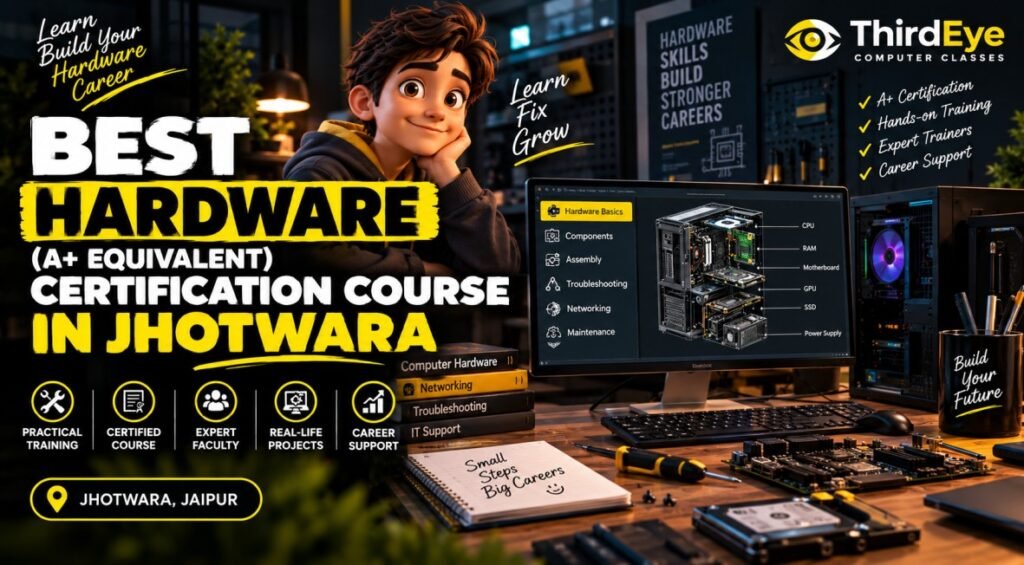
If you are searching for the BEST HARDWARE (A+ EQUIVALENT) CERTIFICATION COURSE IN JHOTWARA, the most important thing is to understand what the training actually covers. A practical hardware course should help learners understand computer components, assemble and disassemble systems, install operating systems, diagnose common faults, configure peripherals, and troubleshoot hardware-related problems.
For students and beginners in Jhotwara, Jaipur, a structured hardware training program can provide a practical starting point for developing computer maintenance and technical support skills. ThirdEye Computer Classes provides career-focused computer education in Jaipur. If you are considering its hardware training, contact the institute to confirm the current course availability, syllabus, certification details, duration, fees, timings, and learning format.
What Is a Hardware (A+ Equivalent) Certification Course?
A hardware training program focuses on the practical knowledge required to understand, install, maintain, and troubleshoot computer systems.
The term A+ equivalent is commonly used to describe training that covers foundational IT hardware and technical support concepts similar to the broad skill areas associated with entry-level hardware and IT support certification preparation. However, learners should check whether a particular institute provides an official third-party certification, its own certificate, or preparation for an external certification.
A comprehensive hardware course may cover:
- Computer components and their functions
- Motherboards and processors
- RAM and storage devices
- SMPS and power-related components
- Computer assembly and disassembly
- BIOS/UEFI fundamentals
- Operating system installation
- Drivers and device configuration
- Peripheral devices
- Basic networking concepts
- Hardware troubleshooting
- Preventive maintenance
- System diagnostics
- Basic laptop and desktop troubleshooting
The objective is to develop practical understanding rather than simply memorising component names.
Why Consider the Best Hardware (A+ Equivalent) Certification Course in Jhotwara?
Jhotwara is a well-known residential and commercial area of Jaipur with a large number of students, job seekers, small businesses, offices, and service-oriented establishments. For someone interested in computer hardware and technical support, learning locally can make regular practical training easier.
Convenient Learning for Students and Beginners
Regular practice is important when learning hardware. Students need opportunities to identify components, understand connections, practise installation procedures, and troubleshoot problems.
Learners from Jhotwara and nearby areas can consider local computer hardware training based on their location, schedule, and learning requirements.
Practical Understanding of Computer Systems
A hardware course can help learners understand what happens inside a computer rather than treating the system as a black box.
Students can learn how different components work together, how hardware problems affect system performance, and how to approach troubleshooting systematically.
Develop Troubleshooting Skills
Hardware problems do not always have obvious causes. A computer may fail to start because of power, RAM, storage, motherboard, connection, overheating, or configuration-related issues.
Learning a step-by-step diagnostic approach can help students identify possible causes before attempting a solution.
What Can You Learn in a Hardware Course in Jhotwara?
A practical computer hardware course should cover both hardware fundamentals and basic technical support tasks.
Computer Components and Their Functions
Students can learn about the major internal and external components of a computer system.
These may include:
- CPU or processor
- Motherboard
- RAM
- HDD and SSD
- SMPS or power supply
- Graphics card
- Cooling systems
- Cabinet
- Monitor
- Keyboard and mouse
- Printers and other peripherals
Understanding the role of each component makes troubleshooting easier.
Computer Assembly and Disassembly
Hands-on assembly is an important part of hardware learning. Students can understand how components are installed and connected within a desktop system.
Training may include:
- Identifying compatible components
- Installing RAM
- Installing storage drives
- Connecting power cables
- Connecting internal components
- Installing expansion cards
- Safely opening and closing systems
- Basic component replacement
Safety procedures should always be followed while working with computer hardware.
BIOS and UEFI Fundamentals
BIOS and UEFI provide important system-level configuration and startup functions. Learners can understand basic boot settings, hardware detection, and common configuration options.
This knowledge can be useful when installing operating systems or troubleshooting startup-related problems.
Operating System Installation and Drivers
Hardware support often involves software configuration as well. Students can learn the basics of operating system installation, device drivers, system configuration, and peripheral setup.
Understanding drivers is particularly useful when devices are not functioning correctly after installation or replacement.
Hardware Troubleshooting
Troubleshooting is one of the most practical parts of hardware training.
Learners can work through common problems such as:
- Computer not turning on
- System restarting unexpectedly
- No display
- Slow computer performance
- Storage-related issues
- RAM-related problems
- Keyboard or mouse problems
- Printer connectivity issues
- Overheating
- Driver-related device problems
The focus should be on diagnosing the problem logically instead of replacing components without identifying the cause.
Basic Networking and Peripheral Support
Many technical support roles require basic networking knowledge. A hardware course may introduce concepts such as LAN connections, network devices, cables, IP basics, and connectivity troubleshooting.
Students can also learn how to install and configure common peripherals used in homes and offices.
Who Should Consider the Best Hardware (A+ Equivalent) Certification Course in Jhotwara?
Hardware training can be suitable for learners who want to develop practical computer maintenance and technical support skills.
It may be useful for:
- 10th or 12th-pass students
- College students
- Beginners interested in computer hardware
- Graduates looking for technical skills
- Job seekers interested in IT support
- Computer service enthusiasts
- People interested in desktop and laptop troubleshooting
- Individuals planning to work in technical support environments
- Professionals looking to add basic hardware knowledge
Previous technical experience is not necessarily required for beginner-level training. A willingness to work practically and understand how computer systems function is more important.
Career Opportunities After Computer Hardware Training
Hardware and technical support skills can be relevant to several entry-level roles. Actual opportunities depend on experience, practical ability, employer requirements, and additional skills.
Potential areas include:
- Computer Hardware Technician
- Desktop Support Technician
- IT Support Assistant
- Technical Support Executive
- Computer Service Technician
- Field Support Technician
- Hardware Service Assistant
- System Support roles
Learners can also strengthen their profile by developing related skills such as networking, operating system administration, cybersecurity fundamentals, and customer support.
For someone starting a technical career, combining hardware knowledge with networking and software troubleshooting can provide a broader understanding of IT support.
How to Choose the Best Hardware (A+ Equivalent) Certification Course in Jhotwara?
Before joining a hardware course, compare the actual training rather than relying only on the course title.
Check the Practical Syllabus
Make sure the curriculum includes component identification, assembly, installation, troubleshooting, maintenance, and practical system work.
Understand the Certification
Ask exactly what certification is provided after completion. Determine whether it is an institute-issued certificate, preparation for an external certification, or another type of credential.
The phrase “A+ equivalent” should not automatically be interpreted as an official CompTIA A+ certification.
Look for Hands-On Training
Hardware is a practical field. Students should have opportunities to work with actual components and systems rather than learning exclusively through theory.
Compare Duration, Fees and Timings
Before enrolling, confirm:
- Course duration
- Current fees
- Class timings
- Practical sessions
- Certification details
- Learning format
- Trainer support
- Course syllabus
These details can change, so direct confirmation from the institute is recommended.
Explore Hardware Training at ThirdEye Computer Classes
ThirdEye Computer Classes provides career-focused computer education in Jaipur. If you are searching for the BEST HARDWARE (A+ EQUIVALENT) CERTIFICATION COURSE IN JHOTWARA, you can contact the institute to ask about its current computer hardware training.
Discuss your learning objective before enrolling and confirm the current syllabus, practical training, certification, duration, fees, timings, and available learning format.
For current course information:
Phone: 8058061222
Website: www.thirdeyeclasses.com
How to Improve Your Computer Hardware Skills Outside the Classroom
Hardware skills become stronger with repeated practical exposure. Along with formal training, learners can improve by working on safe, appropriate practice tasks.
Try to:
- Learn the purpose of every major computer component.
- Practise identifying hardware visually.
- Understand common hardware symptoms and possible causes.
- Learn safe component installation procedures.
- Practise operating system and driver installation.
- Study basic BIOS/UEFI settings.
- Learn systematic troubleshooting methods.
- Understand basic networking and peripheral configuration.
- Keep notes of common hardware errors and solutions.
- Build confidence by solving practical problems step by step.
Always follow appropriate electrical and equipment-safety procedures when handling computer hardware.
Frequently Asked Questions About the Best Hardware (A+ Equivalent) Certification Course in Jhotwara
What is a Hardware (A+ Equivalent) certification course?
It is a hardware and technical support training program covering areas such as computer components, assembly, operating systems, peripherals, troubleshooting, maintenance, and basic networking. “A+ equivalent” should be checked against the actual syllabus and certification offered.
Is hardware training suitable for beginners?
Yes. Beginner-level hardware training can start with computer components and basic concepts before progressing to assembly, installation, diagnostics, and troubleshooting.
Does an A+ equivalent course provide an official CompTIA A+ certification?
Not necessarily. “A+ equivalent” can describe the course content or level of preparation. Learners should confirm whether the institute provides its own certificate or prepares students for an external certification examination.
What can I do after completing a hardware course in Jhotwara?
Depending on your skills and experience, you can explore entry-level areas such as computer hardware technician, desktop support, IT support, technical support, and computer service roles.
How do I choose the BEST HARDWARE (A+ EQUIVALENT) CERTIFICATION COURSE IN JHOTWARA?
Compare the practical syllabus, hands-on training, certification type, trainer support, duration, fees, timings, and learning format. Also confirm exactly what “A+ equivalent” means for that particular course.
Conclusion – Build Practical Hardware Skills in Jhotwara
Computer hardware knowledge provides a practical foundation for people interested in technical support, computer maintenance, and entry-level IT roles. A well-structured course can help learners understand components, assemble systems, install operating systems, configure devices, diagnose faults, and approach troubleshooting systematically.
If you are searching for the BEST HARDWARE (A+ EQUIVALENT) CERTIFICATION COURSE IN JHOTWARA, focus on hands-on training, a clear syllabus, practical troubleshooting, genuine certification information, and trainer support.
If you are considering ThirdEye Computer Classes, contact 8058061222 or visit www.thirdeyeclasses.com to confirm the latest hardware course availability, syllabus, certification details, fees, duration, timings, and learning options.
Learn the components, practise the process, understand the problem, and build practical IT support skills step by step.
Hear From Our Students
We help students upskill & grow their career in the most comprehensive way possible.
My Graphic Designing Training from Thirdeye Computer Classes was very helpful . The Trainer Mukesh Sir has extremely good expertise inn the subject. Now that I am able to Make Designs, edit Videos & much More, I am satisfied and it has been an excellent learning experience for me . Now I am fairly confident in my capacity to obtain a good job. Thank you so much Thirdeye team. Definitely recommended.


Advanced Syllabus
Live Projects Based
Certified Faculties
International Certifications
Need Help?
Connect with us & know what’s the best