
Best Adobe Illustrator Course in Sodala – Learn Professional Graphic Design Skills
Graphic design is now used across branding, advertising, social media, digital marketing, publishing, packaging, and business communication. For anyone interested in entering the creative field, learning professional design software can be an important first step.
Adobe Illustrator is particularly useful for creating vector-based artwork such as logos, icons, illustrations, typography, brand elements, packaging graphics, and print designs. Because vector artwork can be resized without losing its basic quality, Illustrator is widely used for many professional design applications.
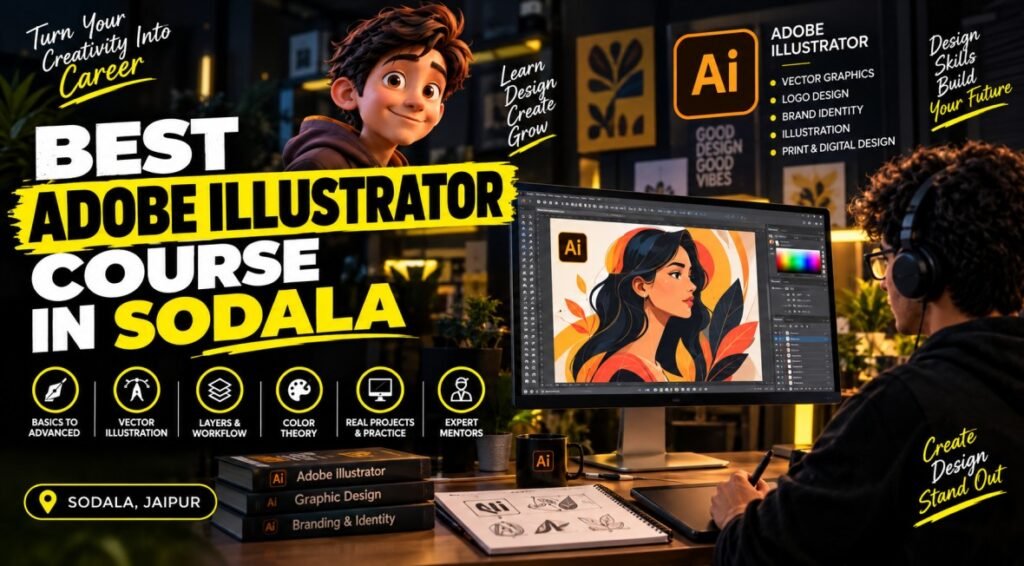
If you are searching for the BEST ADOBE ILLUSTRATOR COURSE IN SODALA, it is important to choose training that focuses on both software skills and actual design practice. Knowing where a tool is located is different from knowing how to use it effectively in a professional design.
For students, beginners, freelancers, and working professionals in Sodala and nearby areas of Jaipur, a structured Illustrator course can provide a practical environment for learning, creating projects, and developing a portfolio.
What Is Adobe Illustrator and What Is It Used For?
Adobe Illustrator is a vector graphics application used to create and edit artwork using paths, shapes, curves, text, colors, and other design elements.
Unlike a typical raster image workflow, vector artwork is based on mathematical paths, which allows designs to be scaled for different applications while maintaining their vector structure.
Illustrator is commonly used for:
- Logo design
- Brand identity
- Icons and symbols
- Vector illustrations
- Posters and flyers
- Business cards
- Packaging artwork
- Typography designs
- Infographics
- Social media graphics
- Print-ready artwork
- Marketing creatives
This makes Illustrator a useful skill for graphic designers and professionals working in branding, advertising, digital content, and creative communication.
A good Adobe Illustrator course in Sodala should therefore teach both the technical features of the software and the design thinking required to use those features effectively.
Why Consider the Best Adobe Illustrator Course in Sodala?
Learning Illustrator through a structured course can be useful for people who want to build practical design skills rather than relying entirely on random tutorials.
Convenient Learning in Sodala
Sodala is a well-connected area of Jaipur. Learners from nearby areas such as Shyam Nagar, Ram Nagar, Civil Lines, Ajmer Road, and surrounding neighborhoods may find local training convenient for regular classes and practice.
Consistent learning is important because graphic design skills improve through repeated application.
Learn Through Practical Design Work
Graphic design cannot be mastered by learning tools alone. Students need to practice composition, spacing, alignment, typography, color, hierarchy, and visual balance.
A practical course can give learners opportunities to work on different design assignments and receive feedback.
Build a Foundation for a Creative Career
Illustrator can serve as a foundation for several creative fields. After developing basic Illustrator skills, learners can explore related areas such as branding, digital marketing design, illustration, print design, social media content, and motion graphics.
What Can You Learn in an Adobe Illustrator Course in Sodala?
The exact syllabus can vary by institute, but a comprehensive beginner-to-intermediate Illustrator course may cover the following areas.
Illustrator Interface and Essential Tools
Beginners generally start by understanding the Illustrator workspace, artboards, panels, properties, tools, menus, and document settings.
Common tools and features may include:
- Selection Tool
- Direct Selection Tool
- Pen Tool
- Shape Tools
- Type Tool
- Eyedropper Tool
- Gradient Tool
- Shape Builder
- Pathfinder
- Align and Transform options
Learning the purpose of each tool is the starting point. Students should then practice combining several tools to complete actual designs.
Vector Shapes and Path Creation
Vector drawing is one of Illustrator’s core capabilities.
Students can learn how to create and modify:
- Lines
- Curves
- Geometric shapes
- Custom paths
- Anchor points
- Compound shapes
The Pen Tool is particularly useful for creating precise paths and custom artwork. Regular practice can help beginners become more comfortable with curves and anchor-point control.
Logo and Brand Identity Design
Illustrator is widely associated with logo and vector-based branding work.
A practical course can introduce students to concepts such as:
- Simple logo construction
- Shape combinations
- Typography selection
- Alignment
- Proportion
- Negative space
- Brand color selection
- Logo variations
The objective should not simply be to create attractive graphics, but to understand how a logo can remain clear and usable across different sizes and applications.
Typography and Text Design
Typography is an important part of graphic design. Students can learn about fonts, hierarchy, spacing, alignment, character settings, paragraph formatting, and creative text treatments.
Typography skills can be applied to:
- Posters
- Advertisements
- Social media posts
- Brochures
- Business cards
- Branding materials
- Promotional graphics
Good typography helps make a design easier to read and visually organized.
Colors, Gradients and Appearance
Color selection can significantly affect how a design looks and communicates.
Illustrator training may cover:
- Fill and stroke
- Color palettes
- Gradients
- Transparency
- Opacity
- Appearance settings
- Blending
- Basic visual effects
Learners should also understand how colors work together instead of simply selecting colors randomly.
Illustration and Creative Artwork
Illustrator can be used to create illustrations ranging from simple icons to detailed vector artwork.
Students can practice creating:
- Icons
- Characters
- Decorative elements
- Flat illustrations
- Infographic elements
- Digital artwork
These exercises can help improve both software control and creative thinking.
Exporting Artwork for Different Uses
A professional workflow also involves preparing the final artwork correctly.
Depending on the project, students may need to understand formats such as AI, PDF, SVG, EPS, PNG, and JPG.
Learning when and why to use different formats can help learners prepare artwork for print, web, social media, or further editing.
Who Should Consider the Best Adobe Illustrator Course in Sodala?
Illustrator training can be useful for a wide range of learners.
It may be suitable for:
- School and college students
- Beginners interested in graphic design
- Graduates looking for practical creative skills
- Aspiring graphic designers
- Freelancers
- Social media content creators
- Digital marketing learners
- Small business owners
- Working professionals
- Learners interested in branding and illustration
A prior graphic design background is not always necessary. Beginners can start with basic tools and gradually move toward more advanced projects.
Career Opportunities After Learning Adobe Illustrator
Adobe Illustrator is a software skill, so career opportunities depend on more than knowing the application. A strong portfolio, design fundamentals, communication skills, experience, and knowledge of other relevant tools can all influence career development.
Illustrator skills can be useful in roles such as:
- Graphic Designer
- Junior Graphic Designer
- Visual Designer
- Brand Identity Designer
- Illustrator
- Print Designer
- Social Media Designer
- Creative Designer
- Freelance Graphic Designer
Some professionals combine Illustrator with Photoshop, InDesign, Figma, video-editing software, or digital marketing skills.
For freelancers, a portfolio can be particularly important. Potential clients generally want to see examples of actual work before deciding whether a designer can handle their project.
How to Choose the Best Adobe Illustrator Course in Sodala?
Before enrolling, compare courses based on the learning experience rather than the course name alone.
Check the Complete Syllabus
Make sure the curriculum covers both Illustrator fundamentals and practical design applications.
A useful syllabus may include:
- Vector drawing
- Pen Tool
- Typography
- Color and gradients
- Logo design
- Illustration
- Layout
- Branding
- Exporting
- Practical projects
Look for Hands-On Training
Ask whether students create designs during the course instead of only watching demonstrations.
Projects involving logos, posters, social media creatives, illustrations, and branding can help learners develop practical confidence.
Consider Trainer Guidance
Good feedback can help students understand why a design needs improvement. Trainer support can be particularly useful when learners are struggling with composition, typography, alignment, or technical execution.
Compare Duration, Fees and Timings
Before admission, confirm the current course duration, fees, batch timings, learning format, practical assignments, certification, and other relevant details.
These factors can vary between institutes and batches.
Explore Adobe Illustrator Training at ThirdEye Computer Classes
ThirdEye Computer Classes is a career-focused computer education and skill-development institute in Jaipur. If you are considering the BEST ADOBE ILLUSTRATOR COURSE IN SODALA, you can contact ThirdEye to confirm the current availability of Adobe Illustrator training and get information about the syllabus, practical projects, duration, fees, batch timings, and learning format.
Before enrolling, learners should confirm the latest course details directly with the institute because course availability and schedules can change.
ThirdEye Computer Classes
Phone: 8058061222
Website: www.thirdeyeclasses.com
How to Improve Your Adobe Illustrator Skills Outside the Classroom
Regular practice can make a significant difference in graphic design.
Try to:
- Practice the Pen Tool regularly.
- Recreate simple designs as learning exercises.
- Create different logo concepts.
- Experiment with typography and spacing.
- Practice color combinations.
- Create social media graphics.
- Design simple icons and illustrations.
- Study professional branding work.
- Save your strongest designs in a portfolio.
- Revisit older designs and improve them.
Do not focus only on creating a large number of designs. A smaller collection of carefully finished projects can demonstrate your skills more effectively.
Frequently Asked Questions About the Best Adobe Illustrator Course in Sodala
What is Adobe Illustrator mainly used for?
Adobe Illustrator is mainly used for vector graphic design, including logos, illustrations, icons, typography, branding materials, packaging graphics, posters, and other creative artwork.
Is the Best Adobe Illustrator Course in Sodala suitable for beginners?
Yes. Beginners can start with the interface, basic shapes, drawing tools, layers, typography, and color before moving toward complete design projects.
Can Adobe Illustrator help me become a graphic designer?
Illustrator can be an important part of graphic design training. However, professional graphic design also requires knowledge of design principles, typography, composition, color, creativity, and portfolio development.
Can I use Illustrator for logo design?
Yes. Illustrator is well suited to vector-based logo creation and allows designers to create scalable artwork that can be adapted for different applications.g.
Can I learn Adobe Illustrator for freelancing?
Yes. Illustrator skills can be useful for freelance services such as logo design, branding, illustrations, social media graphics, and other vector-based design work. Building a strong portfolio is important for attracting potential clients.
How can I check whether ThirdEye offers an Adobe Illustrator course in Sodala?
Contact ThirdEye Computer Classes at 8058061222 or visit www.thirdeyeclasses.com to confirm the current course availability, syllabus, fees, duration, timings, practical training, and learning format.
Conclusion – Build Practical Graphic Design Skills in Sodala
Adobe Illustrator is a valuable tool for creating logos, vector illustrations, branding materials, typography, marketing graphics, packaging designs, and many other forms of visual communication. However, becoming comfortable with the software requires consistent practice and an understanding of fundamental design principles.
If you are searching for the BEST ADOBE ILLUSTRATOR COURSE IN SODALA, compare the syllabus, practical assignments, trainer support, project work, course schedule, and learning format before enrolling. A course that combines software training with real design practice can help you develop skills that are more useful beyond the classroom.
For learners in Sodala and nearby Jaipur areas, ThirdEye Computer Classes can be contacted to confirm the latest Adobe Illustrator training details.
ThirdEye Computer Classes
Call: 8058061222
Website: www.thirdeyeclasses.com
Hear From Our Students
We help students upskill & grow their career in the most comprehensive way possible.
My Graphic Designing Training from Thirdeye Computer Classes was very helpful . The Trainer Mukesh Sir has extremely good expertise inn the subject. Now that I am able to Make Designs, edit Videos & much More, I am satisfied and it has been an excellent learning experience for me . Now I am fairly confident in my capacity to obtain a good job. Thank you so much Thirdeye team. Definitely recommended.


Advanced Syllabus
Live Projects Based
Certified Faculties
International Certifications
Need Help?
Connect with us & know what’s the best